A music player that leaves your games alone.

Full songs, no ads, and you don't need an account. Pulse uses around 150 MB of memory while it plays, and about 90 MB with Gaming mode on.

Free and open sourceWindows 10 and 11Version 1.2.0about 10 MBno administrator password

Pulse on Windows: searching for an artist and playing a song.Music: "DETACHED" by playonce?. Click the video for sound.

  • ~10 MBinstaller
  • NativeRust and DirectX 12, no web browser inside
  • 5 themesor make your own
  • ~90 MBof memory in Gaming mode
  • 5 languagesEnglish, Español, Português, Français, Deutsch
  • 0 accountsneeded to listen. Optional accounts are stored on Cloudflare

Light enough to leave open while you play.

Most music apps are a web browser in disguise, and they take memory and CPU your game could use. Pulse is a native app, and Gaming mode turns off its extras while you play. The music sounds the same.

Rough numbers from my own PC while playing music. Yours will differ.

CPU while playing

~1%Pulse
up to 6%Other popular music apps

Memory while playing

~150 MBPulse
400+ MBOther popular music apps

Memory in Gaming mode, with a game running

~90 MBPulse
400+ MBOther popular music apps

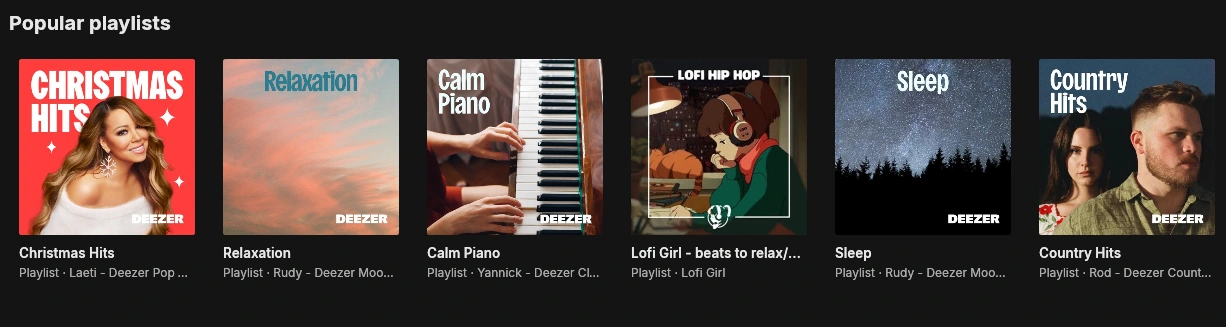
Albums, artists and playlists.

Cover art everywhere, round artist portraits, and playlists for every mood. Click a song's title to jump to its album, or right-click it to like it, share it, or see who made it.
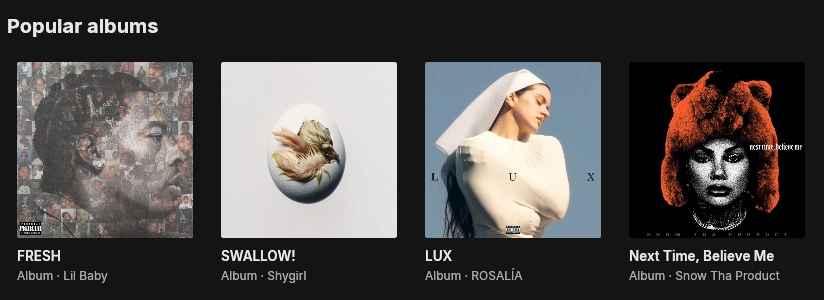
A grid of popular albums in Pulse, each with its cover, title and artist.

Every album and single gets its cover, year and artist. Open one to play it in order, or shuffle it.
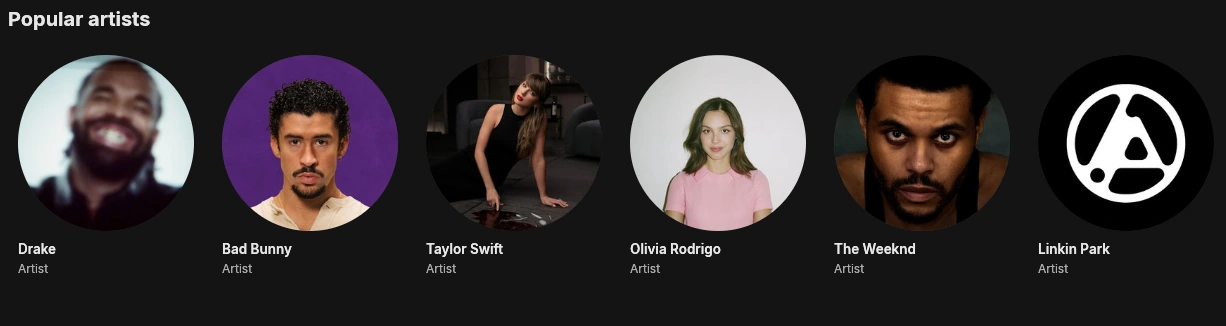
A home page built from what you play.

Your home page fills with what you play: quick shortcuts, the albums you keep coming back to, and Orbits, a daily mix built around each of your favorite artists.

Orbits

Songs like an artist's, mixed with their own hits. A new mix every day.

Bring your playlists

Paste a link from YouTube, Spotify or SoundCloud and Pulse rebuilds the playlist. Share yours with a one-line code.

Playlists your way

Your own covers, search, genre filters, sorting, "date added", and selection with Ctrl and Shift.

Keeps playing when you're offline.

Save songs for when you're offline, and play the music files already in your Music folder, right next to everything you stream.

  • MP3
  • FLAC
  • WAV
  • M4A
  • OGG
  • Full keyboard controlEvery button and list works without a mouse.
  • Screen readersButtons and songs are named for screen readers.
  • High contrast modeFor when you need the edges to stand out.
  • Readable colorsText colors meet WCAG AA contrast.
EnglishEspañolPortuguêsFrançaisDeutsch

Get Pulse for Windows.

Download the installer, run it, and press play. It installs just for you, adds Pulse to the Start menu, and uninstalls cleanly from Windows Settings.

Windows may show "Windows protected your PC", because Pulse is new and not widely downloaded yet. Click More info, then Run anyway. The first song you play takes a moment longer while Pulse sets up YouTube playback (about 70 MB, once).

What's new

Music: "back2back" (prod. jissa)
Pulse 1.2.0Latest
  • A welcome intro with its own beat each time you open Pulse, and "Welcome back, @you"
  • Pick artists you like: your home page fills with music like theirs
  • Sign in on the website, and a Privacy Policy page
  • Discord status works with Legcord and Vesktop (turn on Rich Presence)
Pulse 1.1.0
  • Forgot your password? Get a code by email and choose a new one
  • Sign in with your username or your email address
  • New accounts add an email, and older accounts are asked for one
  • A spare copy of your library: a damaged save is recovered by itself
  • Discord status shows whether it's connected, and lighter CPU use offline
All releases and full notes

System requirements

  • Windows 10 or 1164-bit (x64)
  • About 100 MB of spaceA small app, plus about 70 MB of playback tools it sets up the first time you play a song
  • An internet connectionTo stream music. Songs you download play offline.
  • Any graphicsUses DirectX 12, or Windows' built-in renderer on PCs without a working driver
  • No administrator passwordInstalls just for you